Communities
What a community is in the Studio, and how it decides which members may use a frontend.
Studio roles: "Owner", "Administrator" and "Community manager". The other Studio roles do not see "Communities" in the sidebar.
On the appsolut ONE website, a community means all the people an organisation reaches, from employees to retirees and partners; in the Studio, a community is the named filter that decides which of those people, once they are members, may use a frontend.
What a community is
A community is a named filter over your members directory, such as "Active employees" or "Retirees". "A member belongs to this community when they pass all of its filters." A community without filters holds every member.
- Every frontend has exactly one community. It decides which members may use the frontend. One community can serve several frontends.
- Communities follow from the membership check. A member's communities come from their last check: the register that decided, the status it gave, their groups and their stored claims. Nobody assigns a member to a community by hand.
- A change applies at once. When you change a community's filters, every member is placed again from what their last check stored, without a new check.
An example
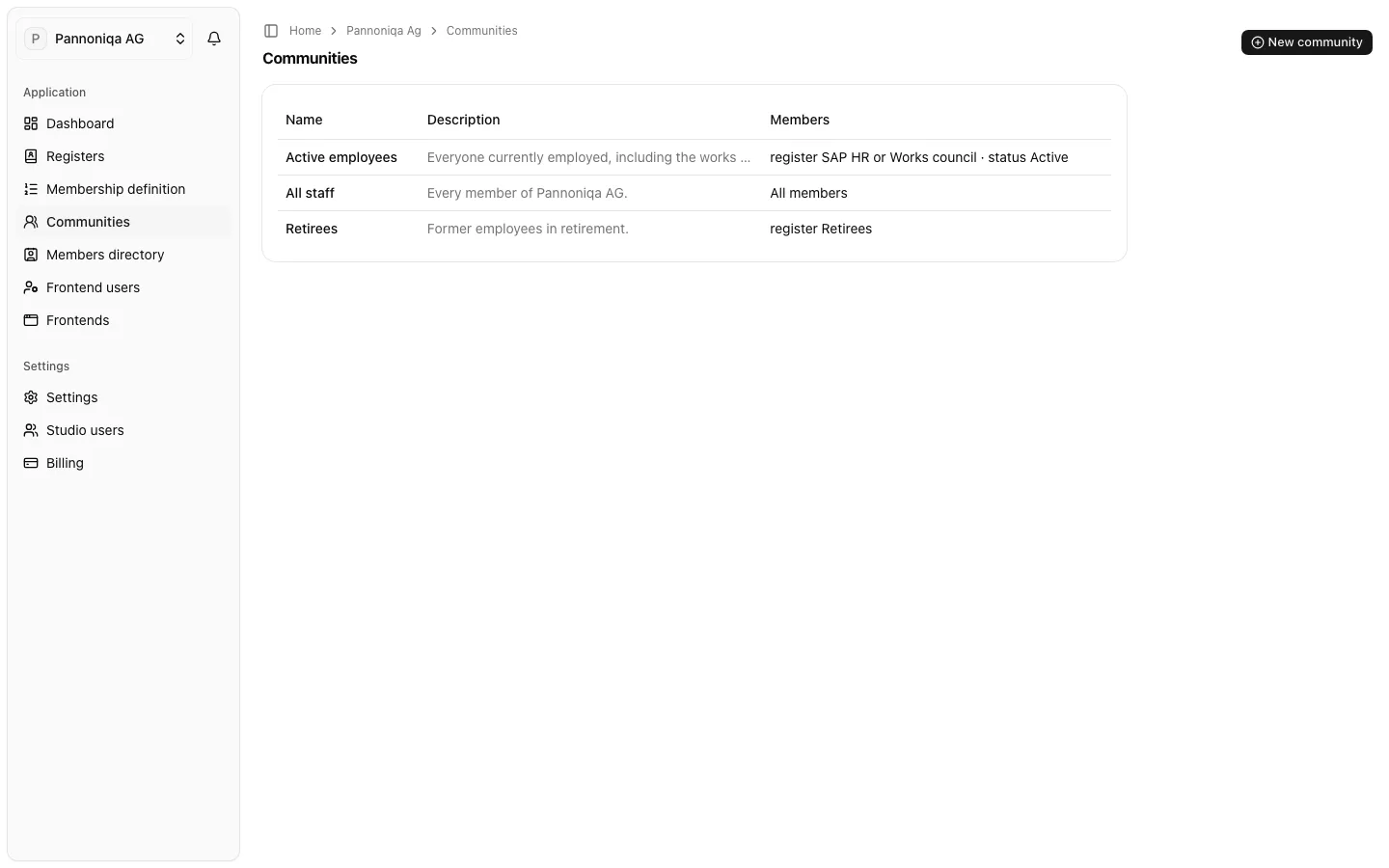
Pannoniqa AG has three communities:
| Community | Filters | Serves |
|---|---|---|
| Active employees | register SAP HR or Works council · status Active | Pannoniqa App |
| All staff | none: all members | Pannoniqa Portal |
| Retirees | register Retirees | — |
Lukas Brunner, an active employee found in SAP HR, belongs to "Active employees" and "All staff", so he may use both the Pannoniqa App and the Pannoniqa Portal. Johann Gruber, a retiree, belongs to "Retirees" and "All staff": he may use the Portal, but not the App.
When a community is unknown
A community that filters on a claim needs that claim stored with the member's organisation membership, and claims are stored only at sign-in. Until a member has the claim stored, their place in that community is unknown, never left out: the members directory shows the community with a question mark, such as "Active employees?".