Upload and download entries
Fill an internal register from an Excel or CSV file, and download its entries.
Studio roles: "Owner", "Administrator" and "Community manager".
Uploads and downloads are for internal registers. An external register keeps its people in your own system.
How an upload changes a register
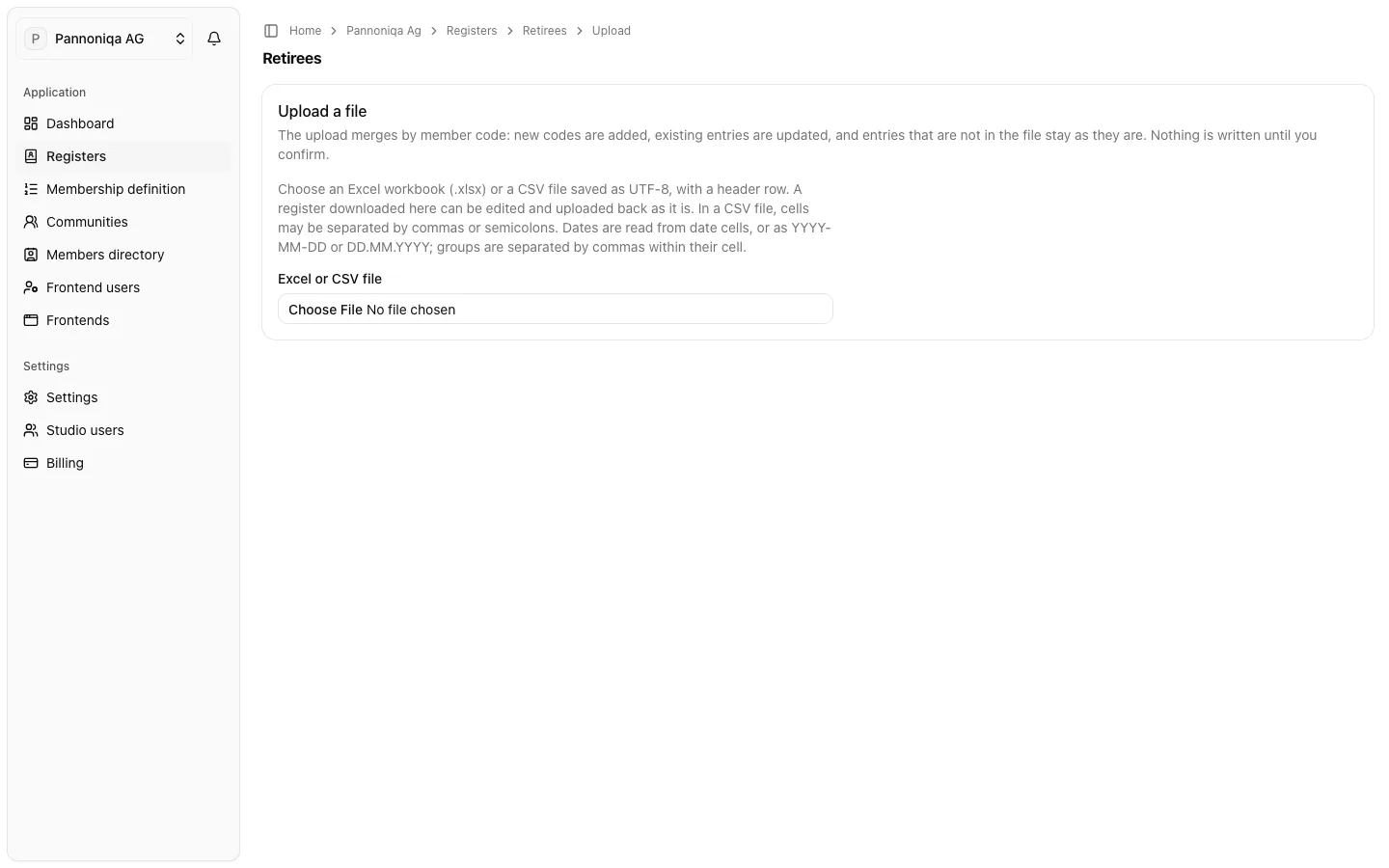
"The upload merges by member code: new codes are added, existing entries are updated, and entries that are not in the file stay as they are. Nothing is written until you confirm."
An upload never removes anyone. To take a person out, deactivate their entry: in the file, with the column "Deactivated" (yes, no, or the date of deactivation), or by hand.
Upload a file
- Open the register and choose "Upload file".
- Choose an Excel workbook (.xlsx) or a CSV file saved as UTF-8, with a header row. In a CSV file, cells may be separated by commas or semicolons. If the workbook has several sheets, choose the one that holds the entries.
- Map the columns. For each "Column in the file", choose the "Field" it fills, or "Ignore". The "Member code" must be mapped. The Studio suggests the field for column names it knows, such as the headers of a downloaded register or "Personalnummer".
- Choose "Continue".
- Read the "Validation report". If the file has problems, the report lists each one with its row: "Nothing can be written while the file has problems." Fix them in the file and choose it again.
- Check the "Preview" of the first entries and the "Summary": how many entries are "Added", "Updated", "Unchanged", "Deactivated" or "Reactivated", and how many challenge codes are set or replaced.
- Choose "Confirm upload".
When the upload is done, the page says "Upload complete". Every changed entry appears in the register activity.
What the cells mean
- A field without a column stays as it is. An empty cell in a mapped column clears its field, except in these columns:
- an empty status means active;
- an empty "Deactivated" cell means not deactivated, so the upload reactivates a deactivated entry. Leave the column unmapped to keep deactivated entries as they are;
- an empty "Challenge required" cell means yes;
- an empty challenge code keeps the stored code (see below).
- Dates are read from date cells, or as YYYY-MM-DD or DD.MM.YYYY.
- Several groups share one cell, separated by commas.
- The status is active, inactive or pending.
- The challenge code: "an empty cell keeps the stored code, and a code in the file sets or replaces it. Only its hash is stored." See Challenge codes.
If writing stops
A large file is written in parts. If writing stops, for example because the network dropped, "The entries written so far stay." Choose "Try again" to continue: entries already written are not changed twice, and uploading the same file again reaches the same result.
Download a register
Open the register and choose "Download". You get an Excel workbook with every entry of the register, deactivated ones included, with the column headers in the language you use the Studio in. You can edit the file and upload it back as it is.
The download never contains challenge codes: the Studio keeps only their hashes, so the challenge code column stays empty.